Much more to come soon!
Until then, enjoy having a super easy to setup status bar above your head that can track your computer’s RAM, CPU, GPU, and VRAM resources. And of course Spotify integration allows everyone to see what you’re listening to, or if you have it paused or muted.
It all works together with Speech To Text and won’t interfere with your chat messages at all!
Our next step
As we tackle more bugs and patch things, our Speech To Text program becomes even more versatile, robust and clear of issues. So what’s the next step after clearing all known issues on the program? Even more features!
Google And IBM Watson Voices
How about 400 more voices to choose from? After hammering out a bunch of the translation issues, and smashing all other known bugs, it’s time for new features! We will be taking the following few weeks to implement these two new services in our program so our users have even more options to choose from. Stay tuned this month, you’re going to be seeing a lot of updates!
Devblog post addressing the last few months of development and bug fixes for our new STT Program 2.0 as well as our Unity shader for the Speech Bubble!
The past few months… 
We’re back with version 2.0! After a break, both to polish VRCSTT as much as possible and taking some much needed holiday, we’re presenting our largest update yet. Relocating across country is always stressful, so I/we are glad to be able to fully focus on updates again. We’ll be covering in this post all the new features of our program and the new Unity shader that has been simplified for our speech bubble. We’ll also be placing at the very end a lot of issues that were addressed and corrected.
Program Launcher
The few last updates we have added more speech recognition services to our program and it has made the program take longer to open. A fundamental thing we were missing was a way to let users know that the program was currently loading its services as well as the user’s saved settings. Without it, confusion was sometimes setting in where users were unsure if the program was currently opening or if they perhaps misclicked something else. Now that we have a loading launcher image, we’ve eliminated this trouble.
UI Overhaul
We’ve moved things around in the program so it is easier to find settings and also created a main “Quick” page for people to land on when opening the program. On that section, users can activate and configure their microphone (by clicking on its small icon) as well as enable/disable their AI voice or swap their voice to another profile they have previously configured from the STTS tab.
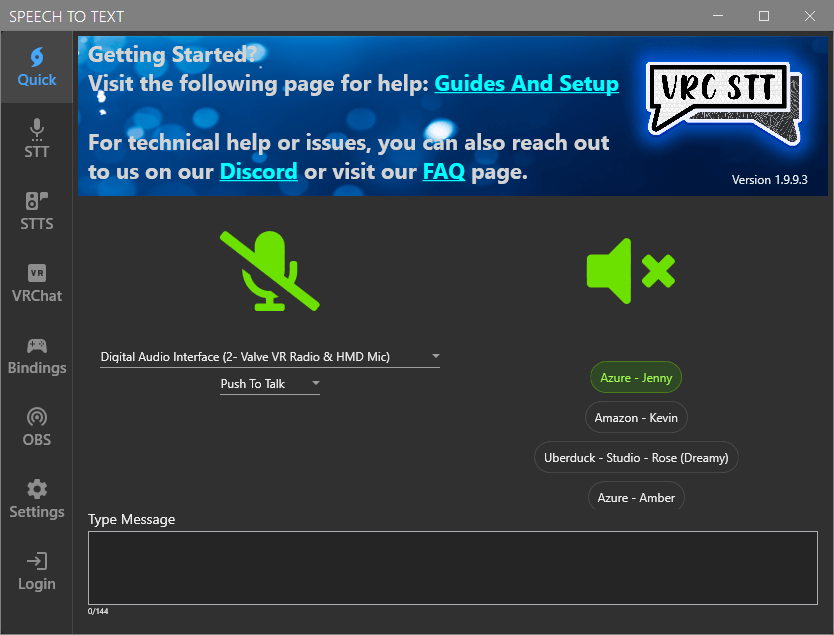
Having a header image in the program is also more pleasant on the eye and lets us add a little section where we can direct new users to one of our guides or discord link should they need further assistance.
UI Themes
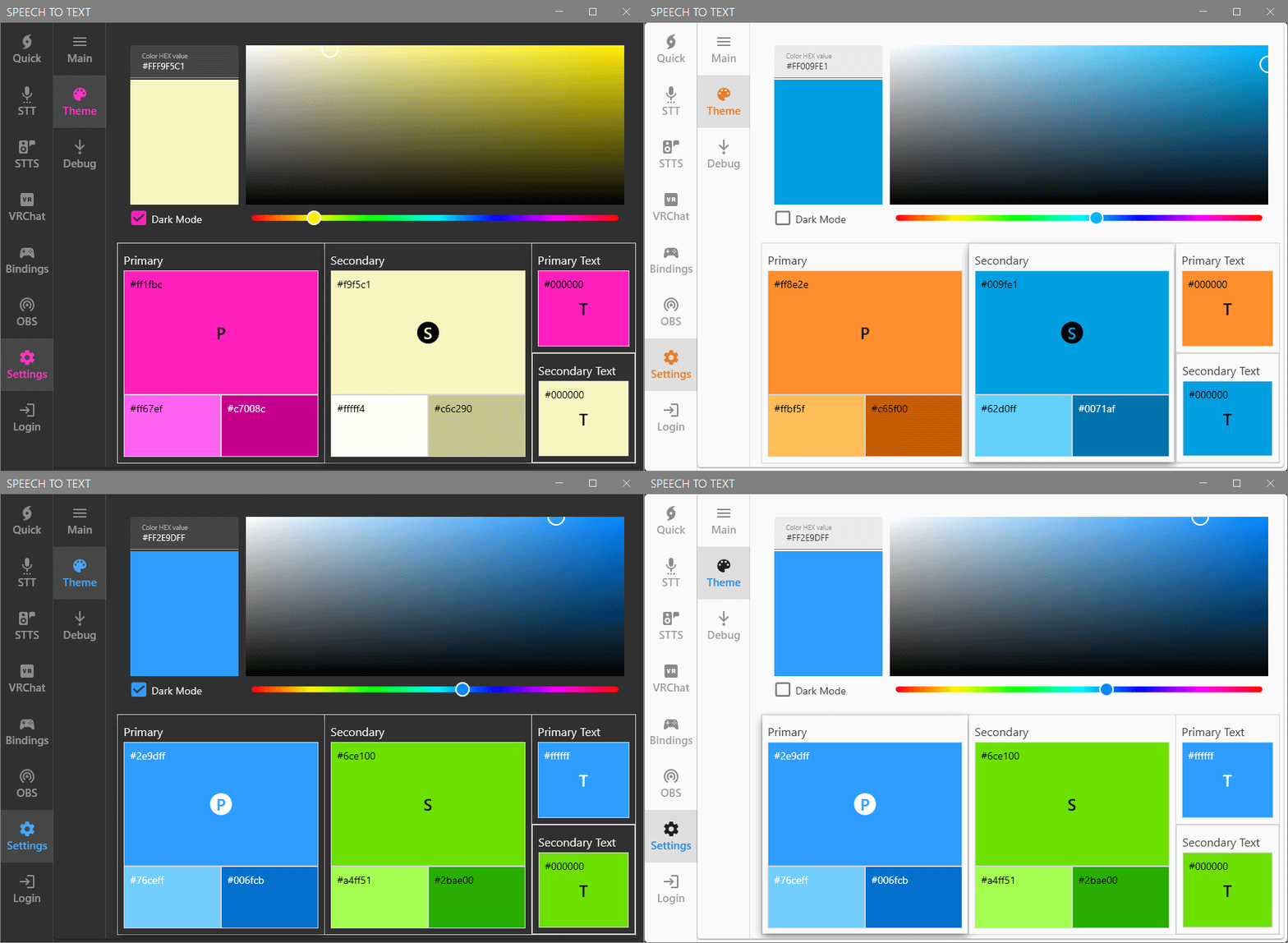
In the past (before V1.2), we used to have a way for people to choose the theme and colors of their STT program. It was a small chunk of code that broke with time and we had to temporarily remove the feature while we were tackling other requested features. While we progressed with development, we were thinking of a way to implement it back in a more advanced way that would let users choose exactly the colors they wanted as well as give us more room for future additions.
STT – Advanced Audio Settings
For users wanting advanced tweaks on their recording we’ve added a subtab specifically for them. In almost all cases this isn’t something necessary that the regular user needs to touch although we still wanted it to have its own section.
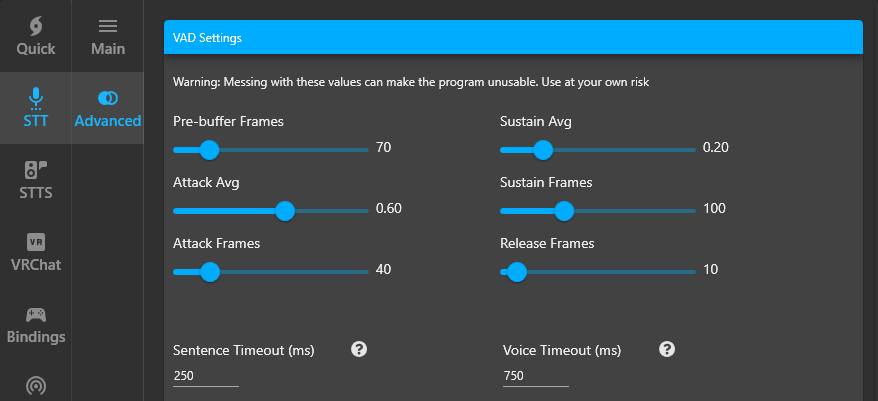
Note: If you’ve misclicked something and changed a value by accident there is a “Reset To Default” button at the bottom that you can click on.
Word Filter/Replacements
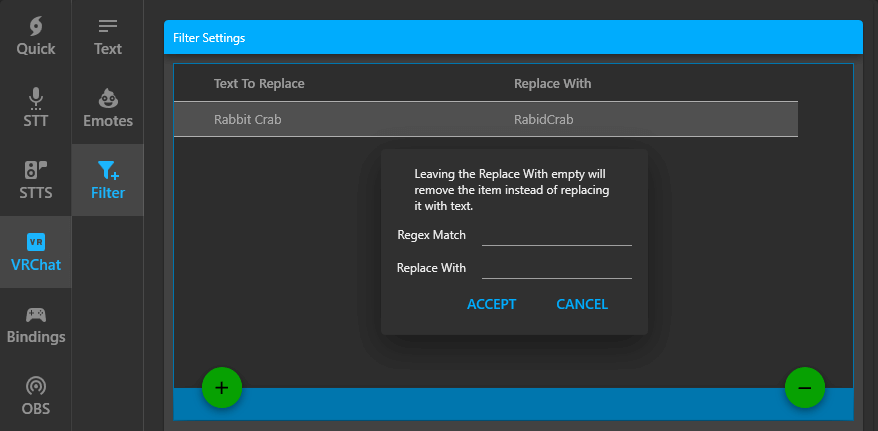
Sometimes there are specific names or catchphrases that keeps getting mistranslated and this can be a cause of certain frustrations. A solution for it is using a filter/word replacement system so the text written on your chatboxes/speech bubbles gets updated before getting displayed.
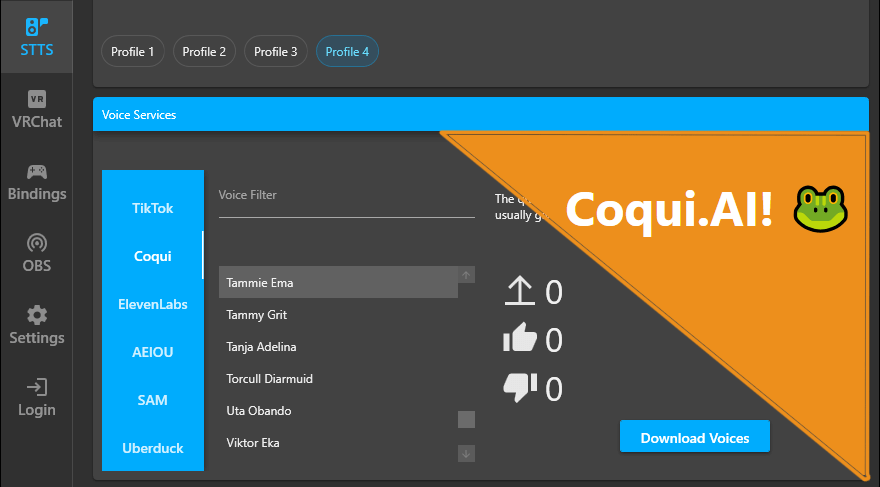
New STTS service. Coqui.AI!
With the recent change of Uberduck switching from a public to a private model we ended up searching for an alternative. After looking around and listening to certain suggestions we ended up deciding on Coqui.AI. It is a service that allows users to clone their voices and add it to their collection as well as generate AI voices to that user’s needs. You can find more information on their website as well as trying out their free trial from the following page: https://coqui.ai/pricing
Unity shader 2.0
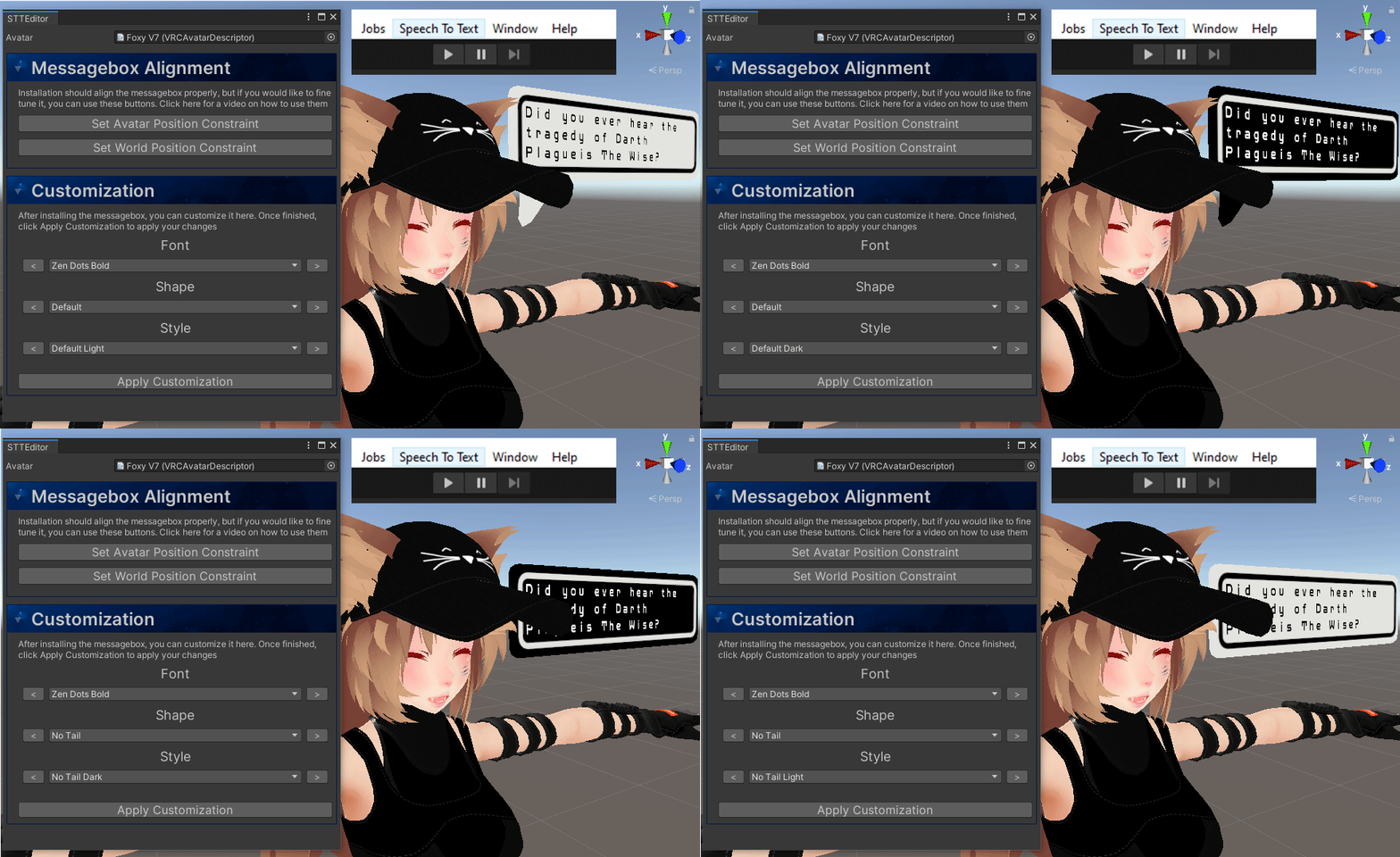
With our STT Program being more user friendly we opted to offer the same type of experience in Unity. Users installing the Speech Bubble on their avatars will now have an easier time setting up a default bubble before making more advanced adjustments and tweaks of their own. With this rework, you can now find the Speech To Text tool at the top of your screen above your “Play” button.
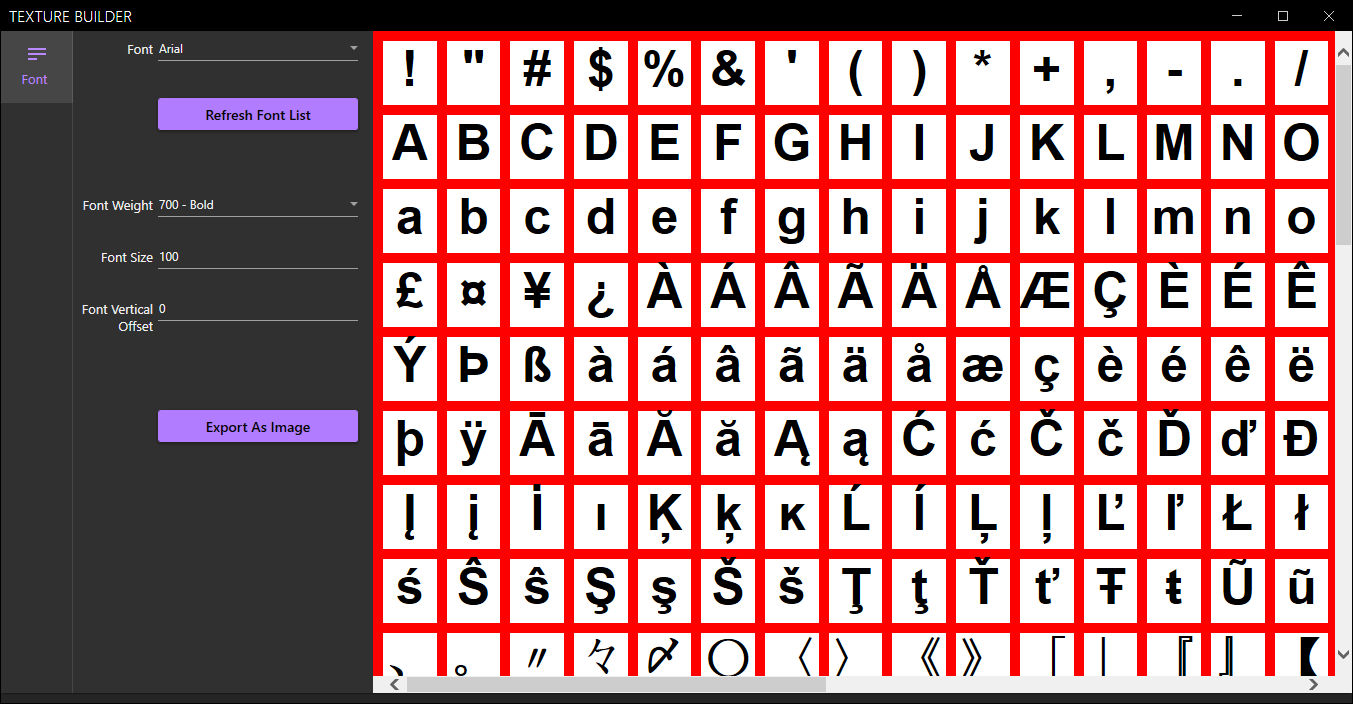
Font builder
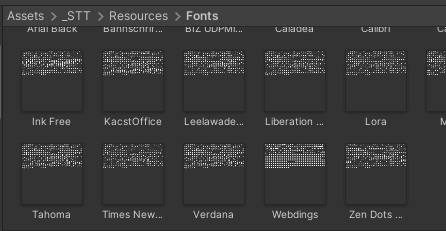
For the users wanting to use their own fonts, we have added a special program tool located in “_STT/Resources/Texture Builder“. The tool allows you to export a font of your choice as an image which you can add in this location: “_STT/Resources/Fonts“. When done, you will be able to use that font when customizing your speech bubble.
Small tweaks and bug fixes
Here is a small list of the most important bug fixes that we have performed the past few months1
- Renamed speech recognition as well as tooltip
- Fixed a rendering bug with the UI, it now performs a ton better
- Fixed Deepgram not working as intended
- Made translation a little more reliable, although it can still get stuck on occasion
- Speaking Language not loading the right saved settings
- Coqui.AI tweaks
This post will be adressing the program and many long-awaited features requested by the community. There is a lot to unpack in almost 2 months of development and rigorous bug fixing so I hope you can dedicate 5 minutes of your time to read what we have here as we will also be dropping some little hints on what is also upcoming/under development as well as a special mention at the very end.
User Interface
As you’ve already noticed, there has been a complete redesign of the UI as well as new icons, colours and buttons. It is still undergoing many changes and it will be a progressive one as we roll out more and more updates. The UI was something we have been wanted to change quite a while ago but we always ended up not having enough time due to other pressing issues such as bug fixing, better translation, faster package delivery and many more thing inside our core program that needed our attention.
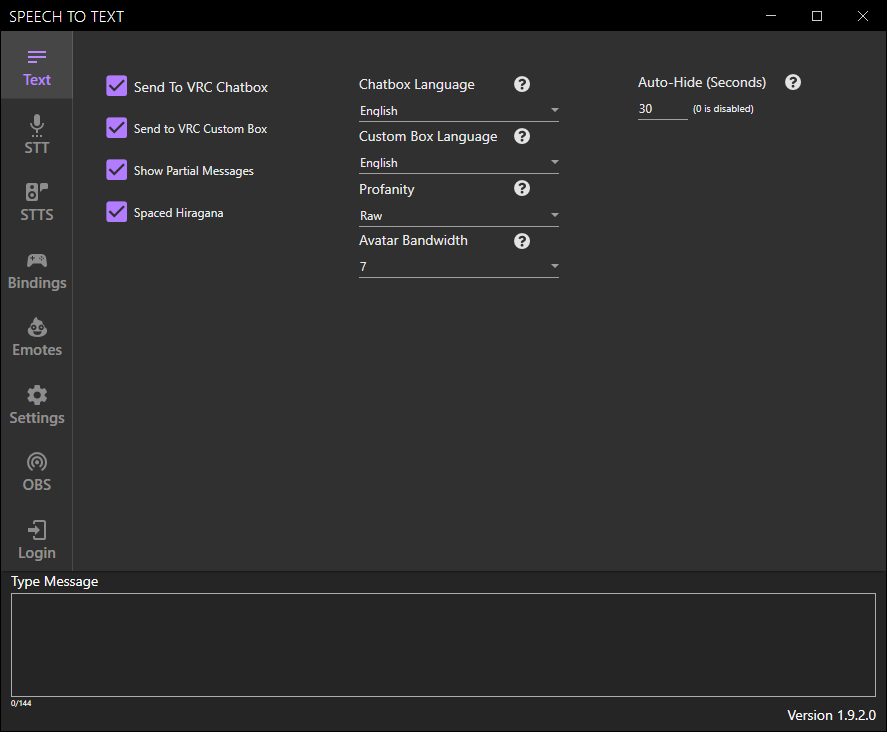
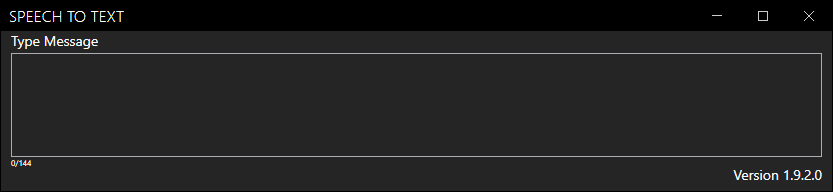
First, let’s talk about the UI. We have added a new design package that will improve the responsiveness and also make it more UI friendly. A feature that was asked from us a few months ago was the ability to make a small Speech To Text program that would only show the “Type Message” box, making it suitable for VTubers and other streamers using OBS and other streaming programs.
Multiple Profiles
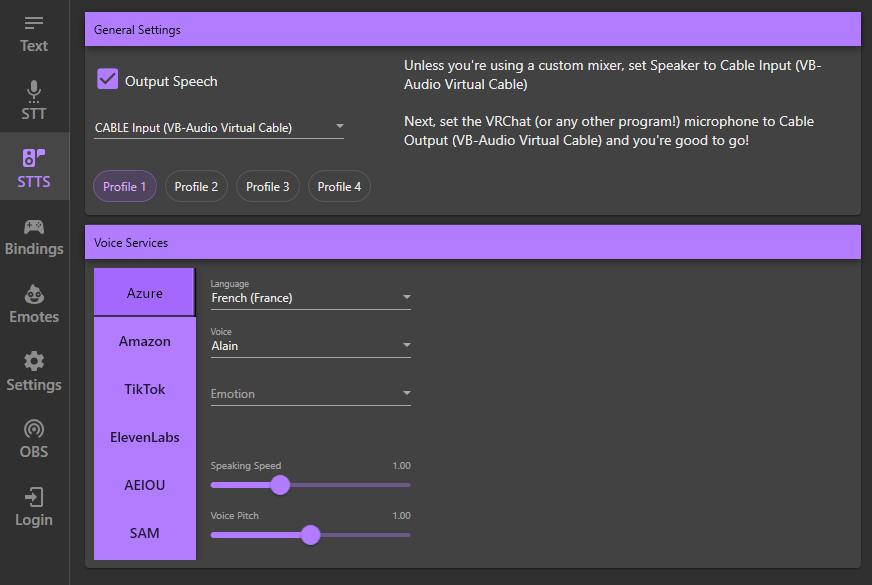
As much as the tool was incredibly convenient for people speaking multiple languages it had an annoying downside. Having to change the AI language, voice and speaking style every time you wanted to switch synthetic voice was tedious. This was something that was brought to us a few months ago and we also wanted to implement. We had so much things that users were requesting that we had to leave that one aside until later. Now that we are doing a complete redesign of the UI, it is the most appropriate moment to finally include it!
ElevenLabs
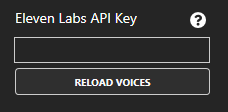
3 days after our last post, we ended up adding ElevenLabs in our program. A new STTS option that became surprisingly very popular by streamers and other STTS enthusiasts. This STTS option functions relatively the same as TikTok where you need to create an ElevenLab account and link your API key inside the program. Once that is done, you can click on the “Reload Voices” button under the API Key field and it will import your ElevenLabs voices into the program. Those voices can be used if you select “Eleven Labs (English US)” from the language dropdown list found under the same tab.
Chinese voices
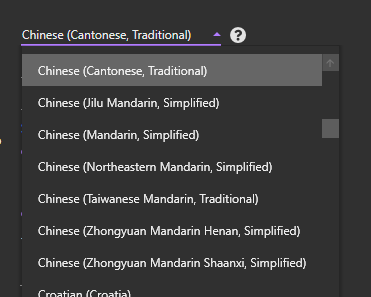
We’ve been listening to you all for a long time, you’ve been asking for it and we finally have them! Users will now be able to select chinese for their Speech To Text as well as a range of up to 28 synthetic AI voices for the Text To Speech! Hopefully this will make a few of you happy as this was something that as been requested from us for quite a while.
Unity shader
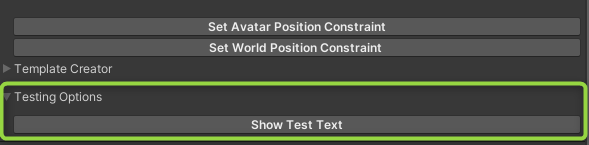
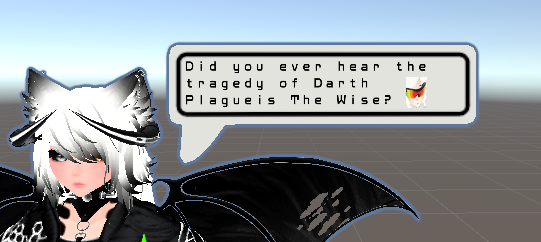
As always, we strive for simplicity and try to make it as easy for users as much as we possibly can. With the addition of Poiyomi (from our last blog post), more and more users have been wanting to customize their speech bubble for something a bit more unique. One thing we were missing was a quick button to show custom text to make customization easier in Unity.
Bug fixing and a few more things…
Because with each new versions and new features implemented, new bugs makes their emergence. Here are a few major things that we were able to tackle in these two months.
- Lots of ElevenLabs debugging as a result of its implementation. Now a lot more reliable
- Added stability and clarity options for Eleven Labs voices
- Extended the Message Populating timeout animation so it can fully populate a full sized message
- A few translation issues fixed
- Deepgram in Default mode no longer crashes
- Deepgram no longer crashes if it doesn’t detect any voice output
- Voice selection in the STTS tab will no longer crash if you click too rapidly
- Fixed an issue with the website authentication causing the program to crash
- Fixed an authentication issue with Patreon relogin button and it not opening the discord window
- Starting recording is much more reliable
- Reduced the occurance of the dreaded second sentence delay. TTS will now queue the second sentence and beyond immediately.
- Fixed that annoying issue with anything past the second message in Azure not showing until way after you finish speaking.
- Fixed recording attempts where a connection timed out ocured and you had to wait for the 15 second timeout to finish before you could try recording again.
- Fixed an issue with program updates making it so the selected microphone is the wrong one
Special mention
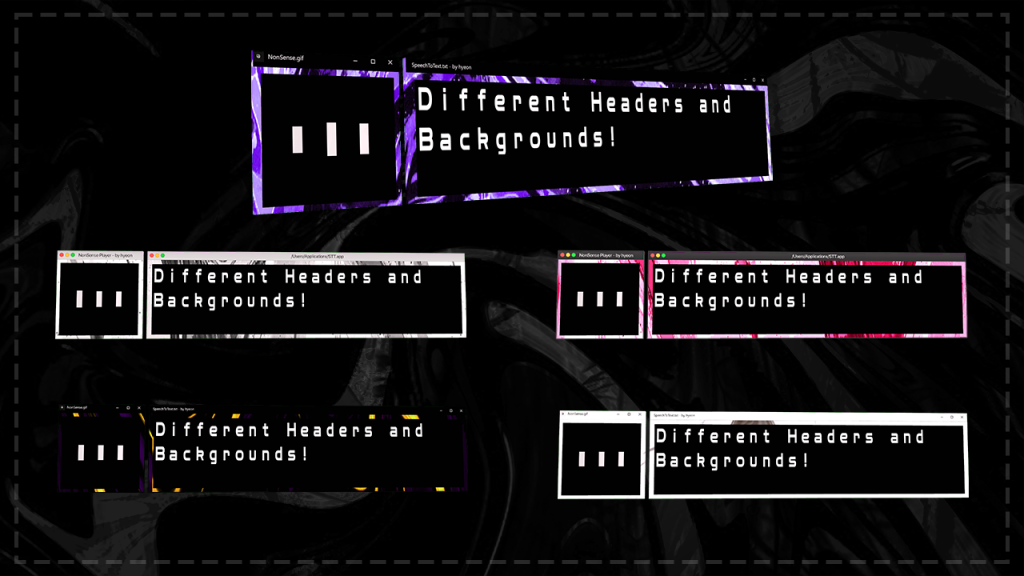
After everything is said, we would also like to give out a special mention to Hyeon and their customized Speech bubble that they are currently selling on Gumroad. We unfortunately are so busy with the program that our hands are tied in terms of free time and as much as we wish for it, we cannot currently allocate time dedicated into creating cool customized speech bubbles for everyone to enjoy.
Link to their customized speech bubble!
The speech to text bubble is now officially a Poiyomi 3rd party mod!
A lot of the Poiyomi features are now much easier to add to the messagebox, as well as a huge performance improvement! The messagebox has gone from nearly 800 polys to under 400, and from 4 materials to 1! You will also notice a difference in box sizes when uploading the new Speech Bubble on your avatar.
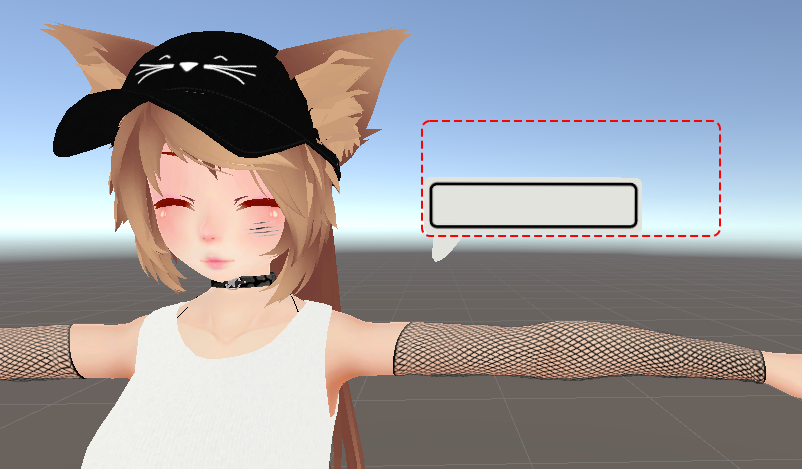
And with the addition to the global mask in Poiyomi, the amount of customization becomes much more easy and boundless, like creating an outline, changing the color of the text, fonts, emissions, and many more!
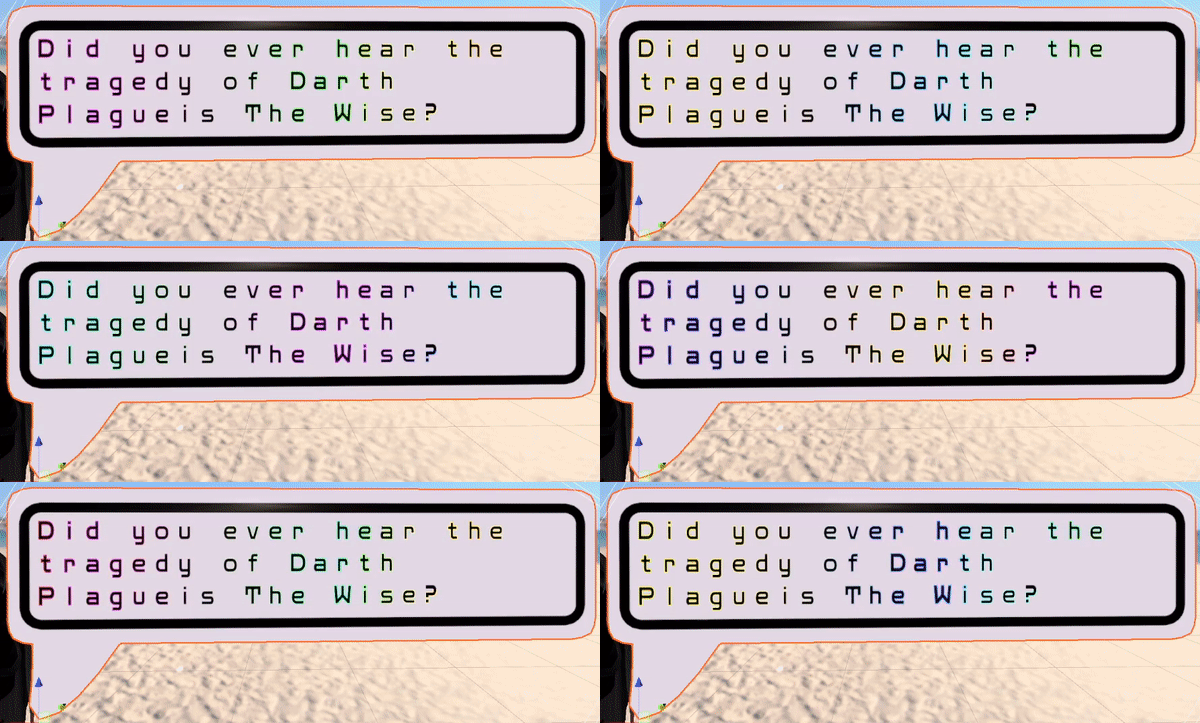
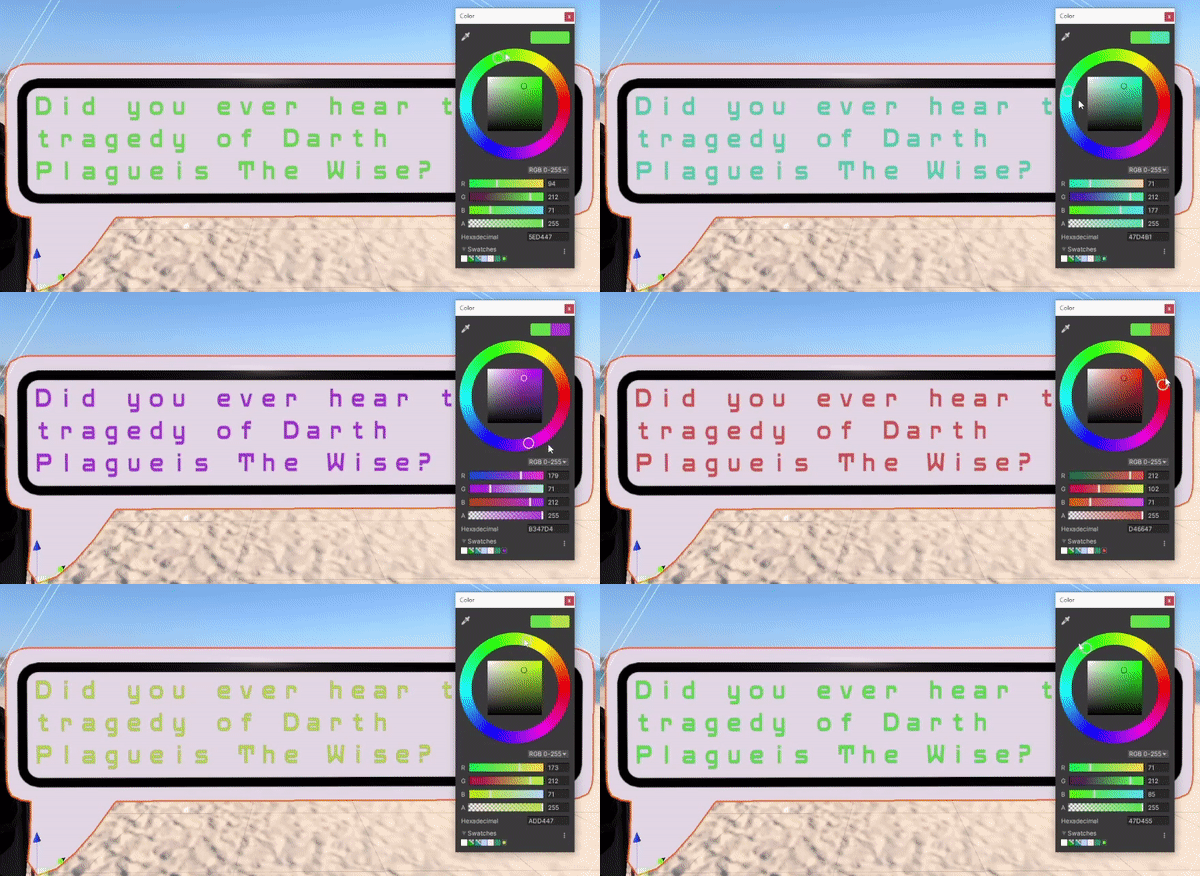
And a whole bunch of other features Poiyomi provides! Shoutout to them and their discord server!
Along with the new shader comes an overhaul of the messagebox itself. Although it looks very similar to the old one, it has a lot more new features and enhancements to performance.
Avatar Dynamics have been added! Simply grab the box and drag it into the world, or put it back on your head (or anywhere else you want to put the Avatar constraint):
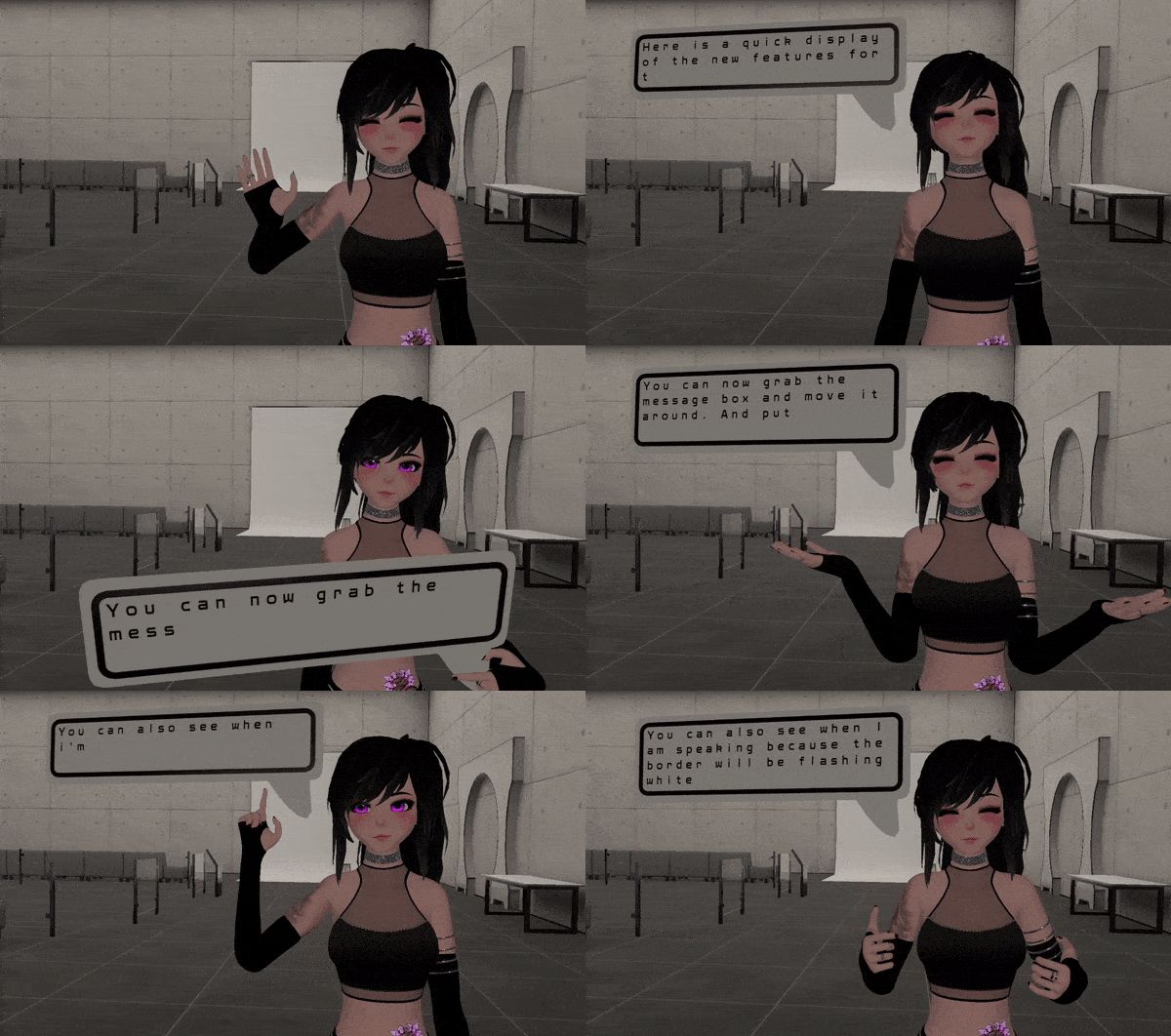
Our next steps will involve customizability. Now that we have a solid framework to build from, we will be adding new messagebox shapes, fonts, and emotes in the near future! Stay tuned for more updates from us!
Server links:
Poyomi Patreon: https://www.patreon.com/poiyomi
Poyomi Discord: https://discord.gg/poiyomi
VRCSTT Patreon: https://www.patreon.com/RabidCrab
VRCSTT Discord: https://discord.gg/vrcstt
With the addition of the recent patches and hotfixes, many features were also added as well as languages offered! Here are the most major ones:
New recent cognitive speech services
- FonixTalk added!
- TikTok added!
- SAM added!
- For a total of 6 different services in the program!
New voices added to our STTS list (ordered by popularity)
Here are the top 10 most added AI voices to existing languages handled by the program:
- English: 52 more AI voices for a total of 111!
- Portuguese: 21 more AI voices for a total of 27!
- Spanish: 20 more AI voices for a total of 67!
- German: 19 more AI voices for a total of 26!
- French: 18 more AI voices for a total of 29!
- Italian: 14 more AI voices for a total of 18!
- Arabic: 6 more AI voices for a total of 34!
- Japanese: 5 more AI voices for a total of 8!
- Polish: 5 more AI voices for a total of 8!
- Korean: 4 more AI voices for a total of 7!
And a huge amount of other cognitive speakers as well as new languages. Increasing our total of over 200 different AI voices to 480!
Unicode languages added to the Chatbox dropdown
With VRChat’s native chatbox having supports to unicodes, we can now update the language dropdown from our end and include the languages that were on hold until it was implemented.
Stay active and expect more and more updates from us!
Bugs were becoming a big problem. Everything from the voice recorder to the AI voice playback had some sort of major bug in it that needed to be squashed. And squashed they were! Here’s a (not comprehensive) list of all the bug fixes that were all crushed in 1.7:
Additions
- Added FonixTalk, also knows as the Moonbase Alpha voice…. Aeiou
- Added some TikTok voices
- Added SAM because why not. Just a heads up, the voice is LOUD
- Added a timeout to the button press frequency, as well as a noise that will play if you press record/interrupt record too quickly and your request gets denied
- Added a queued calling system to the AI voices so translation can continue working while audio is playing
Major fixes & Hotfix
- Removed the duplicate issue caused by mixing the partial translation results with the complete translations. It should still perform just as quickly, but now it won’t show both the partial and complete message in the same message
- Fixed an issue with Azure not getting all of the audio data it needed when sending a message. This made it so it wasn’t hearing the first couple of words you spoke
- Fixed an issue where disabling and enabling continuous recognition was causing it to freeze up
- Fixed audio playing twice in rapid succession in some cases
- Fixed translation not working as intended
- Finally fixed the recording/interrupt recording button for Azure. It will consistently work now
- Fixed issue with program breaking after the first message if the Custom Messagebox option was disabled and the VRChatbox option was enabled
- Removed ability to create an empty keyword for emotes
- Fixed an issue with the program speaking the same message twice in Continuous mode
- Fixed issue with Show Partial Messages not working
- Fixed an issue with the last sentence of a message not always getting spoken
- Fixed issue with interrupting translations for both Deepgram and Azure
- Spamming the recording button no longer causes a crash
- Fixed an issue with AEIOU and SAM not working in all cases
- The previous update added Standard voices for AWS which would not work because they weren’t Neural. Program now handles Standard voices correctly
- Analog keybindings weren’t working at all. Wonder how long that was a bug….
Additional mentions
- When you’re recording the Text, STT, and STTS windows will be disabled to prevent crashes associated with changing stuff that the recorder is actively using
- The Chatbox will now be as sussy as the custom messagebox
- Messages that need to be translated to another language will be faster now
- Settings will now be transferred over to newer versions
- The same thread controlling the voice output was getting paused while it waited for audio to finish playing, causing micro stutters if the computer was experiencing latency. I refactored the thread to continue handling audio while it waits to send another message
- Azure wasn’t handling sentences very well and the timing for a sentence required a really long pause of 500ms. I shortened it to 200ms and now it responds a lot better. I’ll add this as a customizable option a bit later since it’s tied into the speaking grace period and you can break it if you input a smaller grace period than a timeout period
Although bug fixes are boring, they are still very important to manage. 1.7 isn’t an exciting patch for many, but it’s a big one for the program. Your experience will be much smoother and more consistent than ever before with 1.7.
Up next is some more exciting new features…. Message box customizability! More about that will be coming soon!
1.6 is a huge improvement on how my program manages audio.
The entire audio system has been revamped to include a noise suppressor (thank you RNNoise https://jmvalin.ca/demo/rnnoise/) that reduces audio bleed from your speakers to your microphone and increases accuracy by cleaning up the background noise present in all microphones.
All of the known messagebox bugs have been fixed with the exception of a bug with emotes that you are very unlikely to encounter.
I spent a whole 2 months on this project, with a month and a half spent on the entire revamp of the audio system, and a good 3 weeks spent on revamping the messagebox from the ground up to get rid of the numerous bugs plaguing message population and display.
I can confidently say this is the most stable and usable version of the program I’ve ever released.
Hello everyone!
We have been a bit silent until now due to all our efforts being spent on coding and bug fixing. We are still pouring a ton of hours on cool new additions that will be available soon and also bringing some nice quality of life little perks that people will be able to use. Here are a few that will be incoming this update from our list:
1. Your own dashboard!
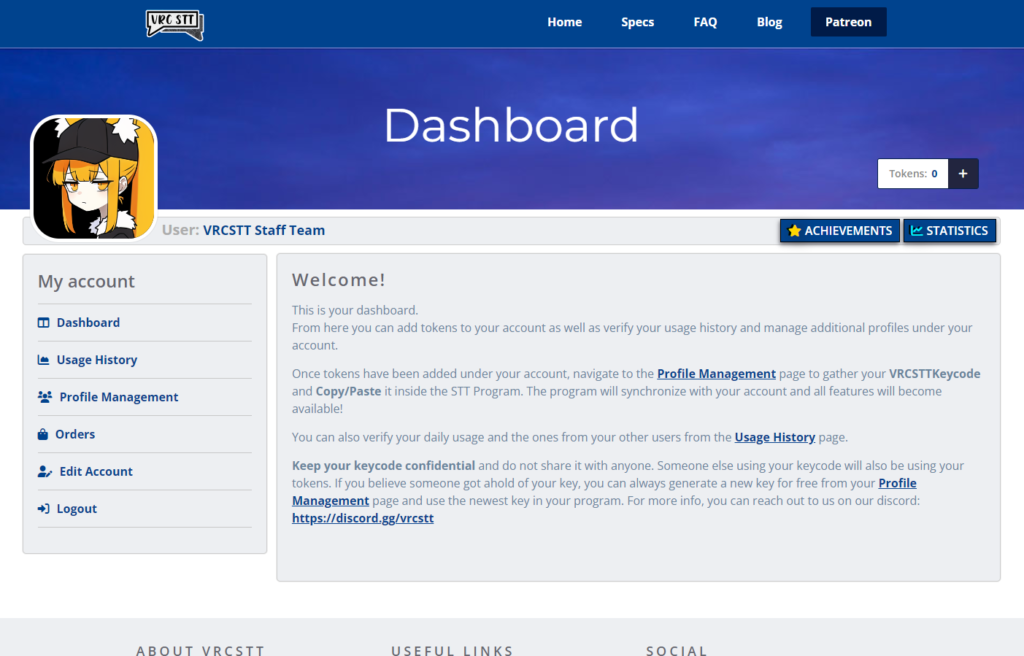
With this new addition to the website, you will now be able to create an account and keep track of tokens you can use for the VRCSTT program and also keep track on a lot of cool things we are planning for the future. It is still under development as I speak, although a good chunk is near completion and working. Your account will be synchronized with the new STT application you are using and you will also be able to verify the usage history you’ve used the previous days. To make it a bit more fun for users, I’ve also started implementing a “Statistics” and “Achievements” overlay that people will be able to check on their account whenever they want (Small note: These 2 features will come out a bit after the dashboard is out).
2. Profile Management
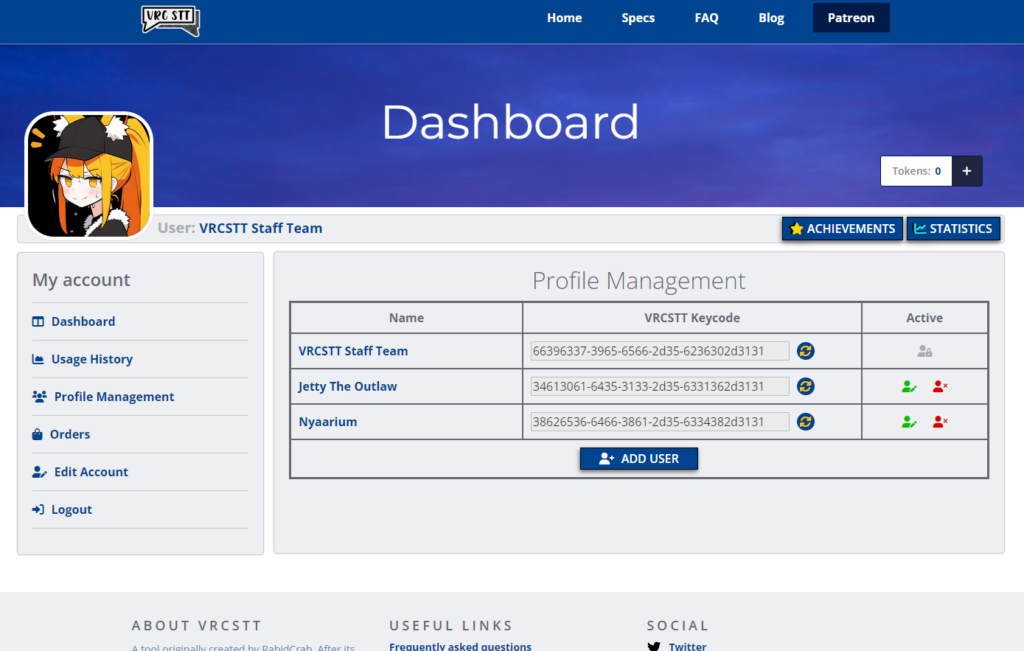
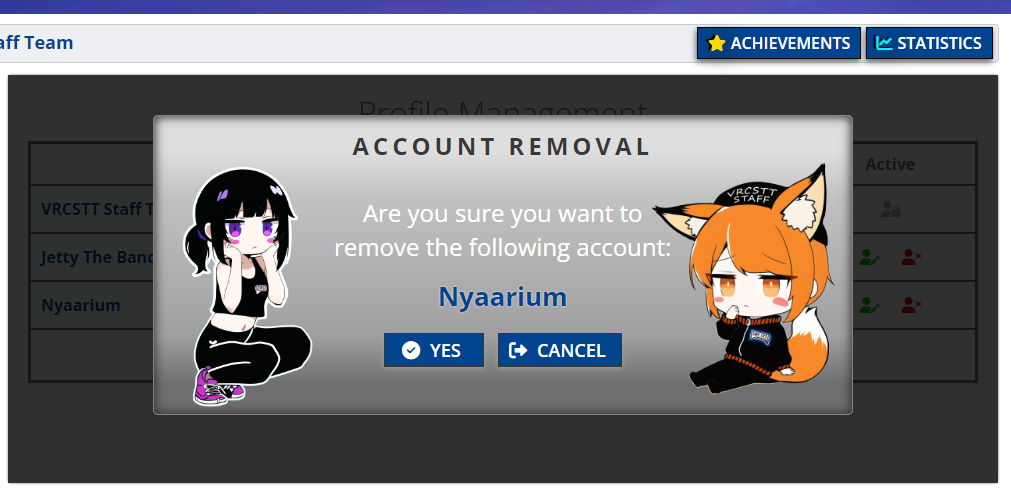
A big big requested feature that we have had for a loooonnng time was the ability for a friend to buy or pay a subscription for a friend or the ability to gift the STT Application to someone else. We have heard your voice and are coming out with a page you will be able to find under you dashboard called Profile Management. This page will allow you to add friends or family under your account and the ability to share with them their own keycode! Those friends will be under your care and will be sharing your tokens so make sure you either have enough tokens available or hope that your friends are not too much hungry. The good news is that those friends, and each of their profile names, will be viewable from the usage history tab and you can take a quick peek to know whom has been using the STT a lot during a certain day.
Also, if you believe someone was able to take a hold of your keycode, you can generate a new one for free at any given moment! Or if you believe someone is abusing your account a bit too much you can always….
3. Usage History
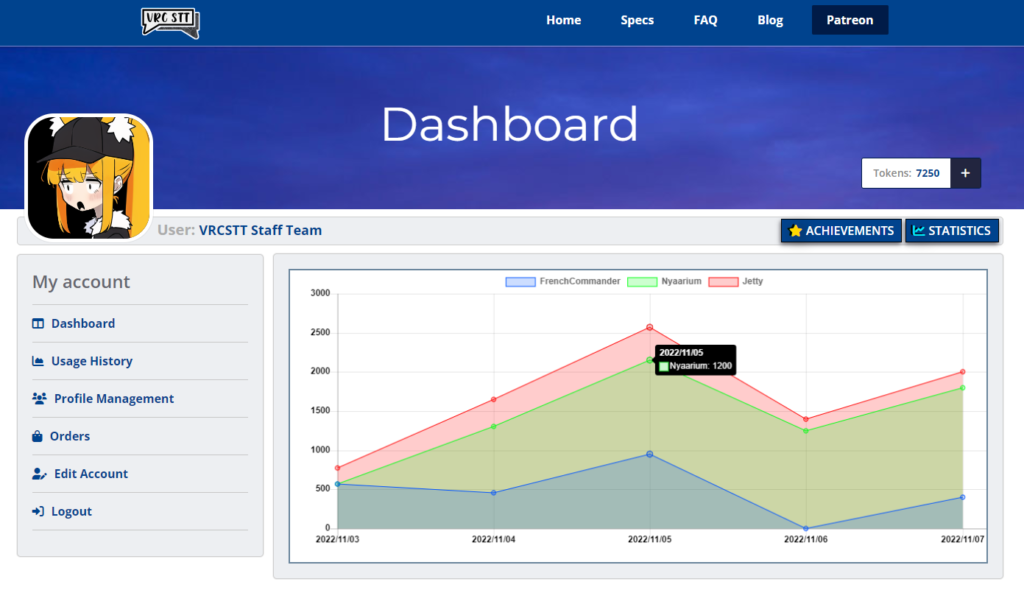
With our new tracking system, find out when and where your tokens went. This is still in development and will see more views and information added as we develop our tracking better and better. (Note: We’ll only keep track of the tokens spent, we do not track or save text/audio inputs. Those are private and we respect each user’s privacy very seriously!)
4. Obfuscating the program, simpler package!
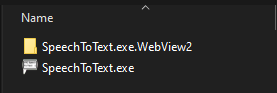
This took a long time but we are very happy with our results. We were able to consolidate all files that came with the program and made it a lot more simple for all users. The program is now fully packaged in one simple application that will install it’s necessary components in the background, leaving you with a clean folder.
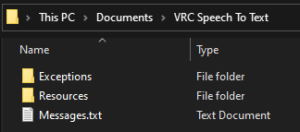
We also decided to place all modifiable resources in one easy location. This way, users will have an easier time to find the resources they want to modify as well as debug info if they encounter a problem and needs to send us the error logs. Much much simpler!
5. Many many bug fixes…
With all the big changes also came a lot of bug fixes. Here are a few that we took note of:
- “.” at the start of a sentence caused a crash
- Fixed an issue with messages not getting translated to voice
- Fixed issue with Azure voices routing through the wrong output
- Rapidly typing short messages will no longer crash the program
- STTS will now translate a bit faster although there’s still some work to do on this issue
- Reduced duplicate text in messages even more. This issue just will not go away
And that’s it from us for now! This update is coming very soon and will most likely include more stuff when it drops. For any other information or questions feel free to talk to us on our Discord server!
Patreon finally gave us the option to charge monthly on the day you sign up and not the 1st of the month! YES!
If you sign up in the middle of the month, it will now charge you next month on the same day like it should have at the beginning.
All existing Patreons will get charged on the 1st of this month, but don’t worry, you will always get AT LEAST 30 days of access per charge. You don’t lose any days because you signed up after the 1st!