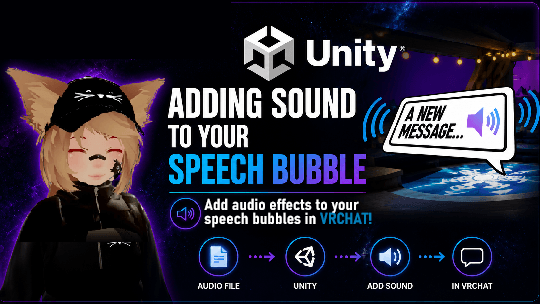
Here’s a quick showcase of the end result.
There are multiple ways you can add audio effect to your speech bubbles. This tutorial will be showing you the easiest way to add a sound.
Step 1 — Adding the Audio file to your project
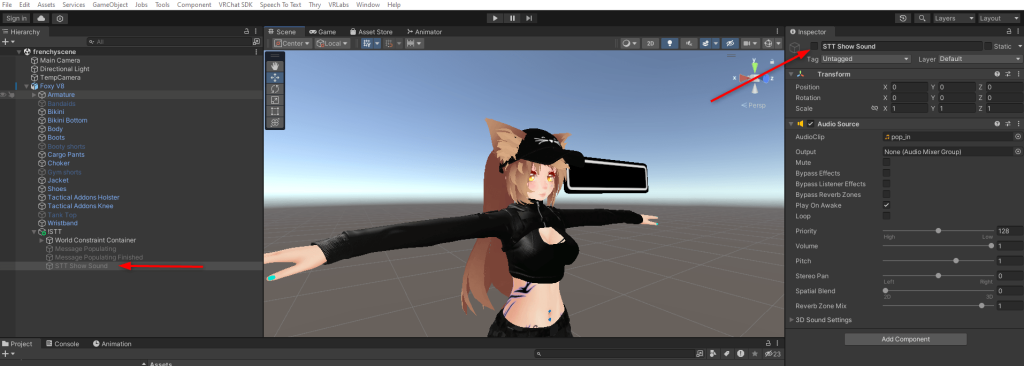
You’ll first have to add an audio clip to your project. (Example: pop_in.mp3)
When done, create an empty game object somewhere on your avatar (in my case I created it inside the “!STT” game object since it’s relevant to the speech bubble). Rename it to find it easily.
In the Inspector (top right of screen), toggle it off so it is Off by default.
Step 2 — Adding the Audio to the animation
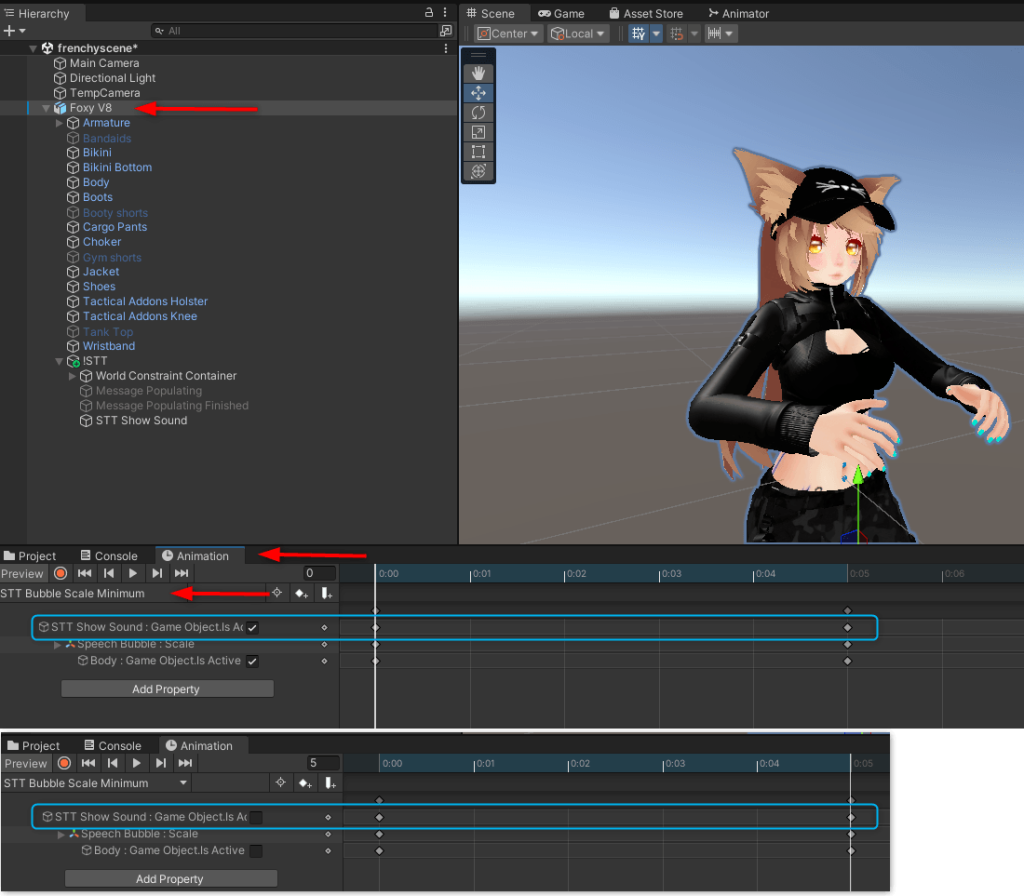
There will be a few steps that you will need to do in the Animation tab.
First Animation
- Select your avatar and click the Animation tab, find and select “STT Bubble Scale Minimum“
- “Add Property” and add the “STT Show Sound : Game Object.Is Active” property
- On frame “0“, checkbox is On.
- On frame “5“, checkbox is Off.
Second Animation
- Select the animation “STT Bubble Scale Maximum“
- “Add Property” and add the “STT Show Sound : Game Object.Is Active”
- Frame “0” & Frame “10” should both be checked.
Hop in game and test it out. If done correctly, you should hear the sound as the box scales and text appear. That’s it!